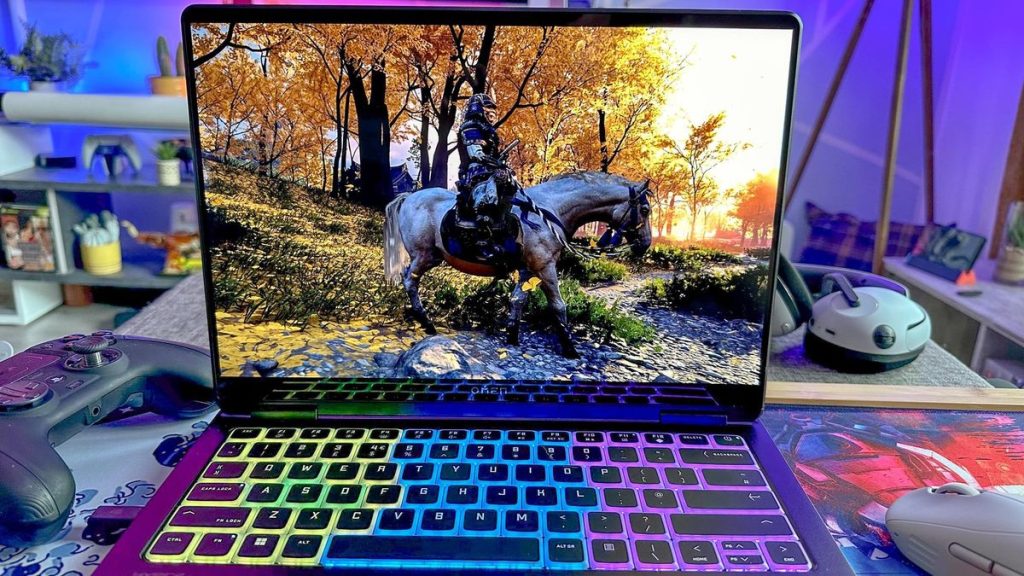
Pixel count tells only part of a display’s story. Two 1440p panels can feel completely different mid-match. Motion clarity, color depth, and brightness explain that gap. A thorough gaming laptop vergleich rewards buyers who look past resolution. Seven specifications shape what players see, from refresh rate to flicker. Each affects comfort, competitiveness, or visual richness in measurable ways.
1. Refresh Rate Sets Motion Smoothness
Refresh rate counts how often the screen redraws each second. A 165Hz panel updates nearly three times faster than 60Hz. Competitive shooters benefit most from 240Hz or higher. Still, the GPU must push enough frames to use that headroom.

2. Why Does Response Time Matter So Much?
Pixels need time to shift between colors. Slow transitions leave ghostly trails behind moving targets. Gray-to-gray figures near 3 milliseconds keep fast action crisp. Independent reviews test this better than manufacturer claims.
3. Panel Type Shapes Contrast And Color
Each display technology trades strengths differently:
- IPS panels deliver accurate color and wide angles.
- OLED screens produce true blacks with instant response.
- Mini-LED backlights reach high brightness through local dimming.
- VA panels offer deeper contrast but slower transitions.
4. How Bright Should A Gaming Display Be?
Brightness, measured in nits, affects visibility near windows. A 300-nit panel suits dim rooms comfortably. HDR content needs 600 nits or more to look convincing. In any gaming laptop vergleich, sustained brightness deserves more weight than peak bursts. Certified DisplayHDR ratings simplify that check.
5. Color Gamut Coverage Reveals Visual Richness
Gamut coverage shows how much of a color standard reaches the screen. Budget panels may cover just 60 percent of sRGB. Fuller coverage near 100 percent makes game worlds look vivid. Streamers editing footage should seek strong DCI-P3 figures too.
6. Does Adaptive Sync Need A MUX Switch?
G-Sync and FreeSync match refresh timing to frame output, removing tearing. A MUX switch routes the GPU straight to the display.
- Frame rates climb noticeably.
- Input latency drops further.
- Adaptive sync works more consistently.
- Battery mode can switch back.
7. Flicker And Coating Affect Long Sessions
Some panels dim by pulsing the backlight through PWM. Sensitive players feel eye strain after late evenings. Flicker-free certification removes that problem. A matte surface also cuts glare from overhead lights. Glossy finishes look punchier but mirror bright rooms.
Weakest Spec Defines The Experience
A 240Hz screen with 8-millisecond response still smears every quick flick. Display specifications work as a chain, not a menu. The weakest figure sets the real experience on screen. Buyers who spot that mismatch avoid paying for numbers their eyes never register.
FAQs
Is OLED risky for gaming laptops?
Burn-in can develop from static HUD elements over years of use. Modern panels use pixel shifting and refresh cycles to reduce that risk.
Does 4K matter on a laptop screen?
At 16 inches, the jump from 1440p is hard to notice. 4K also demands far more GPU power, lowering frame rates.
What refresh rate suits casual players?
A 144Hz panel feels smooth for most single-player titles. Higher rates mainly help in fast competitive games.
Can a laptop display be calibrated after purchase?
A hardware colorimeter can correct color and gamma with good accuracy. Several manufacturers also ship factory-calibrated panels with printed reports.